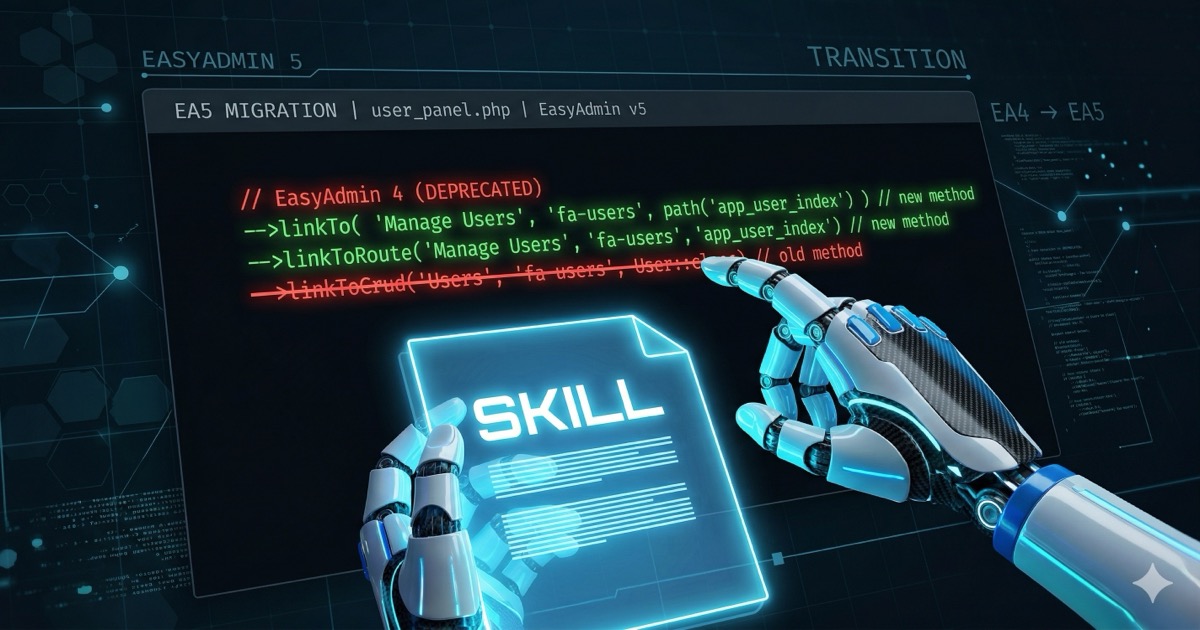
Your AI agent has a problem it does not tell you about: it does not know what it does not know. When you ask it to work with a library or tool that has changed since its training cutoff, it generates code with full confidence… using methods that no longer exist. It is not lying. It simply does not have the information.
This is the knowledge cutoff problem, and it affects every model. For stable, mature technologies, the impact is small. But for libraries, bundles, and tools that evolve fast, it is a real problem that produces silent errors: code that looks correct but fails at runtime.
The fix is not better prompting or bigger models. It is giving the agent up-to-date, verified information in a format it can consume. That is exactly what an AI Skill does.
What is an AI Skill
A skill is a structured Markdown document containing verified knowledge about a specific technology. It is not a tutorial. It is not generic documentation. It is a reference optimized for AI agents: exact API signatures, version-to-version changes, correct patterns, minimal and copy-paste-ready examples.
Think of it as the difference between handing a new developer a 500-page book and giving them the verified cheat sheet for the exact version you are running. The agent does not need to understand the entire history of a library — it needs to know which methods exist now, which ones disappeared, and how to use them.
A typical skill includes:
- Breaking changes table between versions — the first thing the agent checks
- API signatures verified against source code, not against documentation that may be outdated
- Code examples that are minimal and functional, not tutorials
- Notes on common pitfalls — things that look correct but are not
How an agent consumes it
Integration is simple because a skill is just an .md file. No installation, no dependencies, no build step.
In Claude Code, you place it in .claude/skills/ inside your project, or reference it from your CLAUDE.md:
# CLAUDE.md
When working with EasyAdmin, read the skill at /path/to/skills/easyadmin5/SKILL.md before writing any code.
In Cursor, it goes in .cursor/rules/. In other agents, wherever you place project context.
When the agent is about to generate code with that technology, it reads the skill first. It is like checking the docs before writing — but automated and with information we know is correct.
Why official documentation is not enough
Official documentation is designed for humans. It has narrative context, progressive explanations, didactic examples. That is fine for learning, but an AI agent needs something different:
- Exact signatures, not explanatory paragraphs
- Version-to-version changes explicit and in tables, not buried in an UPGRADE.md
- Data verified against the actual source code, not against documentation that sometimes drifts from the code
- Machine-friendly format: tables, lists, code blocks — not prose
On top of that, official documentation covers everything. A skill covers what the agent needs to write correct code: the public API, breaking changes, patterns that work.
How to create a reliable skill
This is where it gets interesting. Creating a skill is not copying documentation and reformatting it. It is an iterative verification process involving humans and multiple AI agents, each with a different role.
The process we followed:
1. Initial extraction — One agent researches the official documentation, the package source code, the UPGRADE.md, and produces a first draft with the complete API: methods, signatures, parameters, breaking changes.
2. First review — A different agent, not the one that wrote the draft, verifies every claim against the real source code. Not against the documentation — against the code. Does this method exist? Is this signature correct? Is this parameter object or mixed?
3. Correction and second review — Errors are fixed and a third agent reviews again. The principle is the same as code review: fresh eyes catch things the author misses.
4. Human verification — The human reviews the result, applies judgment about what to include and what to leave out, validates corrections, and sometimes discovers that one reviewer was wrong and another was right.
5. Iteration — Repeat until the error rate converges to zero.
Why multiple agents instead of just one? For the same reason you do not review your own code: confirmation bias. An agent that wrote something will tend to validate it. A different agent questions it.
Real example: EasyAdmin 5
All of this sounds abstract, so let me walk through a concrete case.
EasyAdmin is one of Symfony’s most popular bundles. Version 5 was released as the new stable version, removing everything deprecated in the 4.x series. Functionally it is similar, but the API changed in critical places:
linkToCrud()→linkTo()displayAsLink()→renderAsLink()addPanel()→addFieldset(){{ ea.property }}in Twig →{{ ea().property }}- Pretty URLs now mandatory
- PHP 8.2+ and Symfony 6.4+ required
These look like minor changes, but they produce runtime errors that are not obvious. And the worst part: your agent is convinced its code is correct, because it was… in version 4.
The trigger was practical: I was migrating one of my projects from EA4 to EA5 with Jarvis, and the results were frustrating. It used version 4 methods with full confidence, assumed EA4 features still worked in EA5, and generated code that failed at runtime over and over. It was not a capability problem — it was an information problem.
Javier Eguiluz (EasyAdmin’s creator) has written about how to use Claude Code with Symfony, but there is no official EasyAdmin 5 skill for AI agents — a verified, structured reference specific to EA5 that agents can consume directly.
So I decided to build one and share it with the Symfony community, hoping that more developers find it as useful as I do and can take advantage of it.
What the reviewers found
In the first review, an agent verified the draft against EasyAdmin 5’s source code and found 8 factual errors.
In the second review, another agent found 5 more errors: an attribute with incorrect parameters (routePath instead of path), a misleading number format, incomplete ImageField tokens.
In the third review: 2 more errors. And in the fourth: 1 error and 1 imprecision.
Each round converged: 8 → 5 → 2 → 1. Until we reached a document with over 900 verified lines where every signature, every parameter, and every example is checked against the bundle’s actual source code.
The result
Before the skill, asking an agent to create a menu in EasyAdmin 5 produced code with linkToCrud() (EA4). After the skill, it generates linkTo() (EA5) on the first try. Same with fields, actions, filters, events, Twig templates.
The skill covers the complete public API: dashboard, menus, CRUD controllers, 30 field types with detailed documentation, actions and action groups, batch actions, filters, multi-level security, lifecycle events, pretty URLs, design customization, and URL generation.
Skills as an investment
Creating a skill takes time. But it is an investment that pays off every time you — or any other developer — asks an agent to work with that technology.
It is open source. Verified. Maintained. A Markdown file that anyone can copy into their project and start using.
If you work with EasyAdmin and an AI agent, try it. And if you work with another technology that changes between versions, consider creating your own skill. The process I have described works, and the result is the difference between an agent that hallucinates and one that writes correct code on the first try.
The EasyAdmin 5 skill is available at jupaygon/ai-skills. If you find it useful, a star on the repo helps other developers discover it.